How it works
Speak once. It lands where it belongs.
Press and talk. If you’re writing something, the SpeakOS keyboard types it right there. If it’s for later, it becomes a note with a title, tags and a reminder.
If you’re typing now
Typed where you are
The SpeakOS keyboard writes your words into the app you’re in.
If it’s for later
Kept as a note
A title, tags and a reminder, around your exact words.


 and every other app
Who it’s for
Built for people who talk for a living.
Agents, reps, recruiters, founders, the trades, site supers and more. Pick your line of work and see a working day with SpeakOS, filmed in the app.
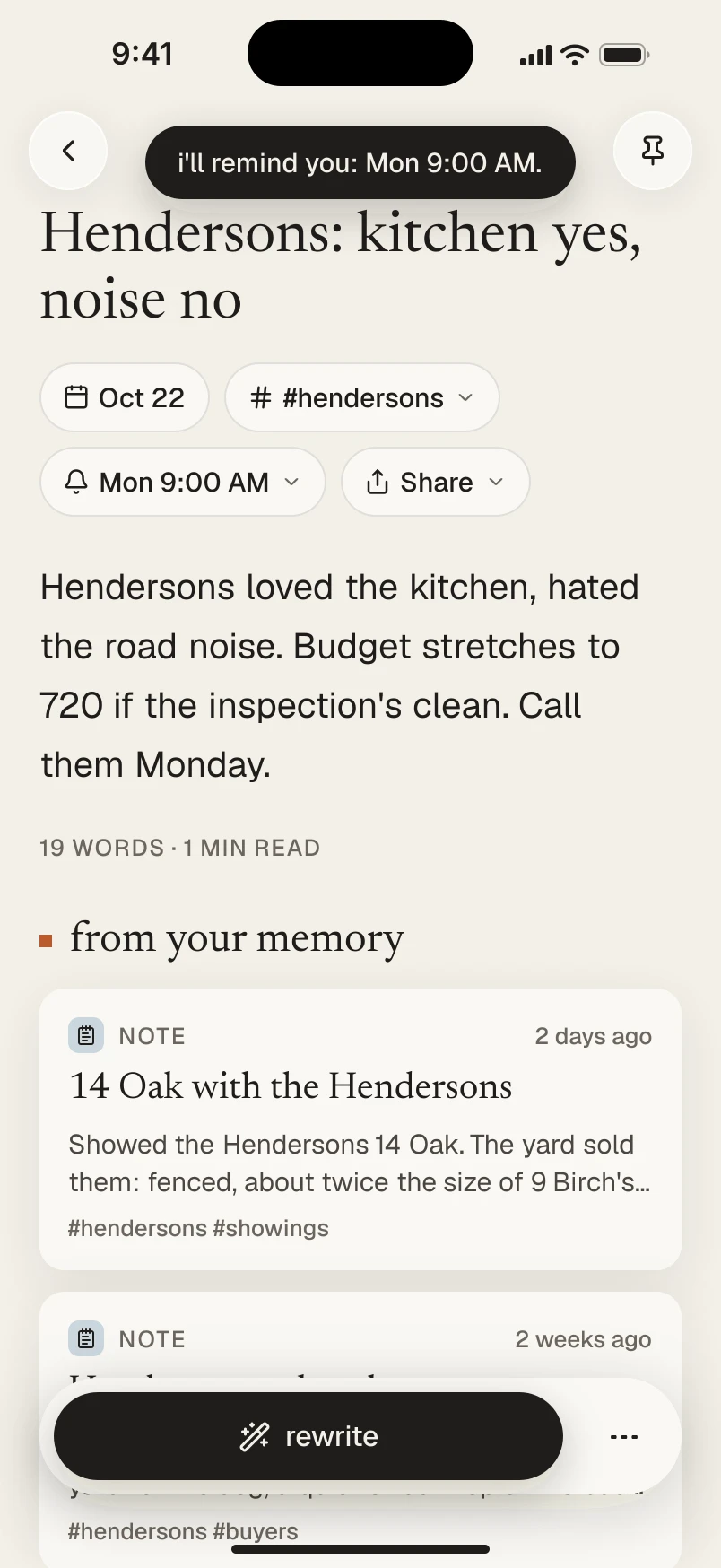
Real-estate agents
Debrief in the car. Monday’s call is set.
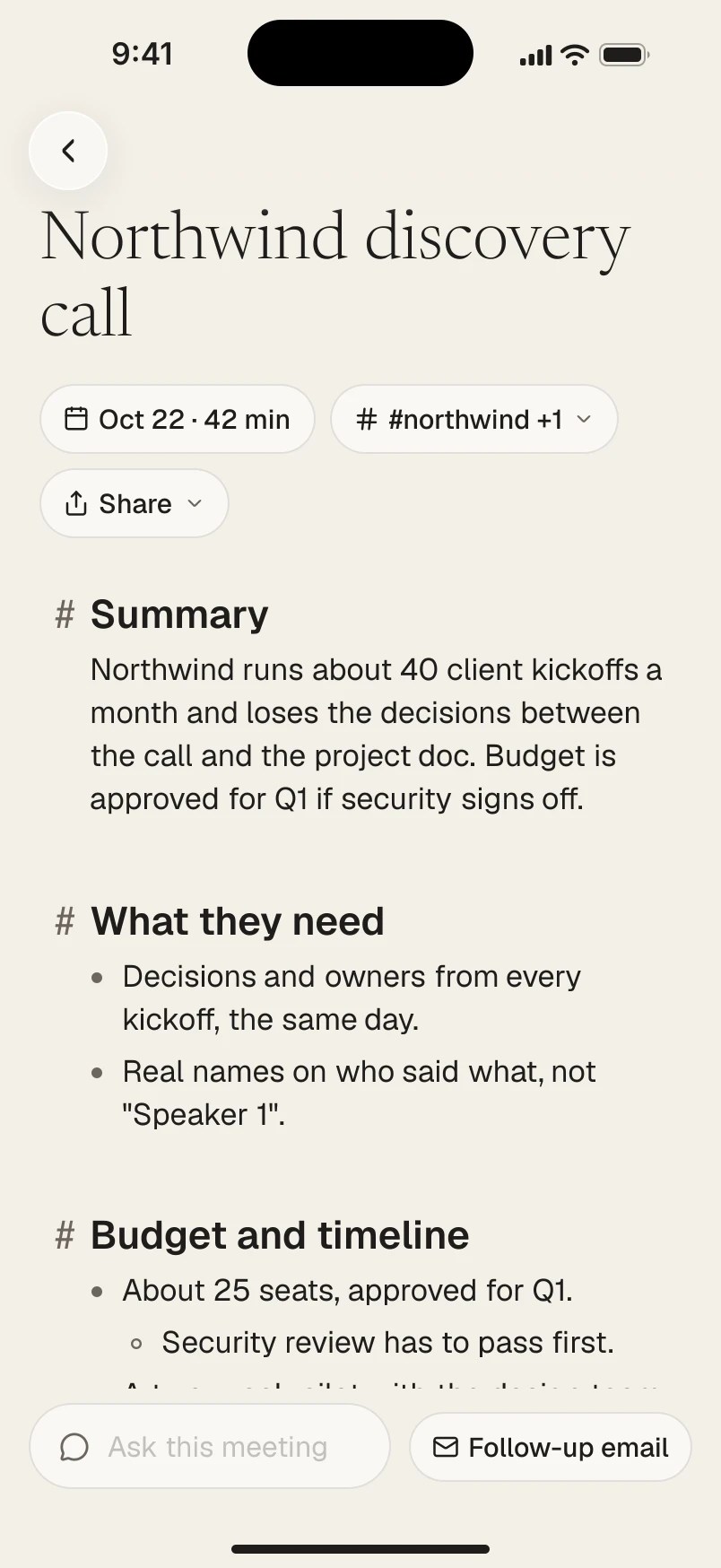
Account executives
Record the call. The notes write themselves.
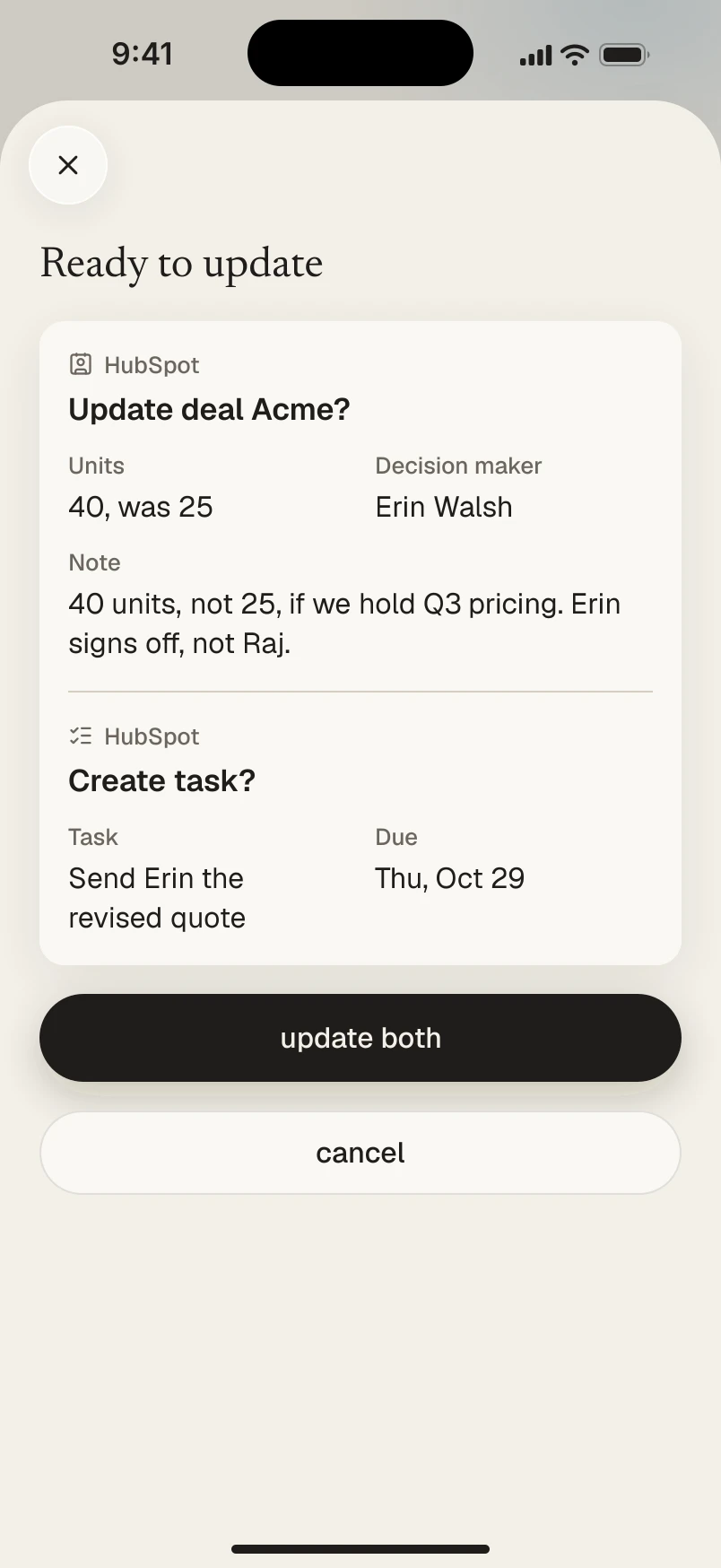
Field sales
Update the CRM from the parking lot.
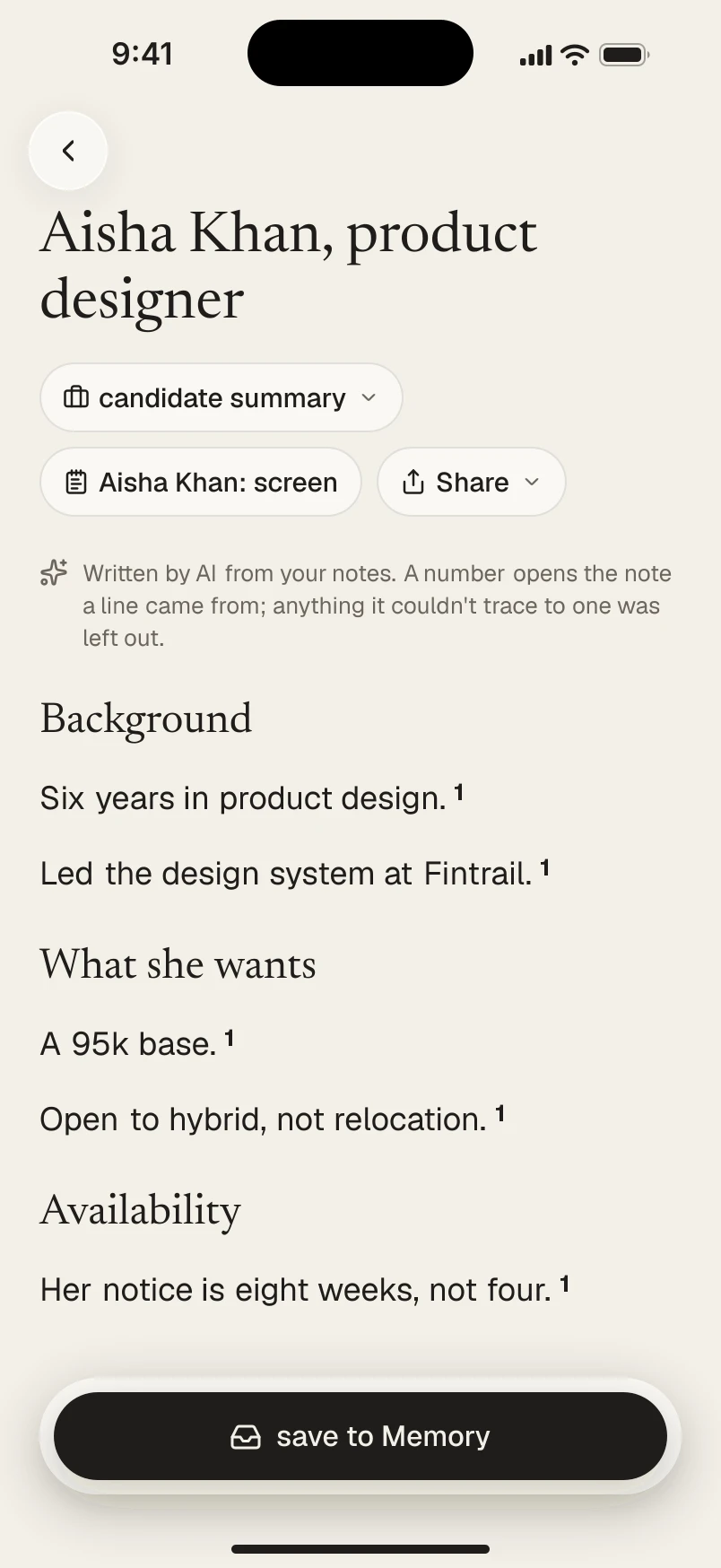
Recruiters
A screen in. A summary out.
Founders and consultants
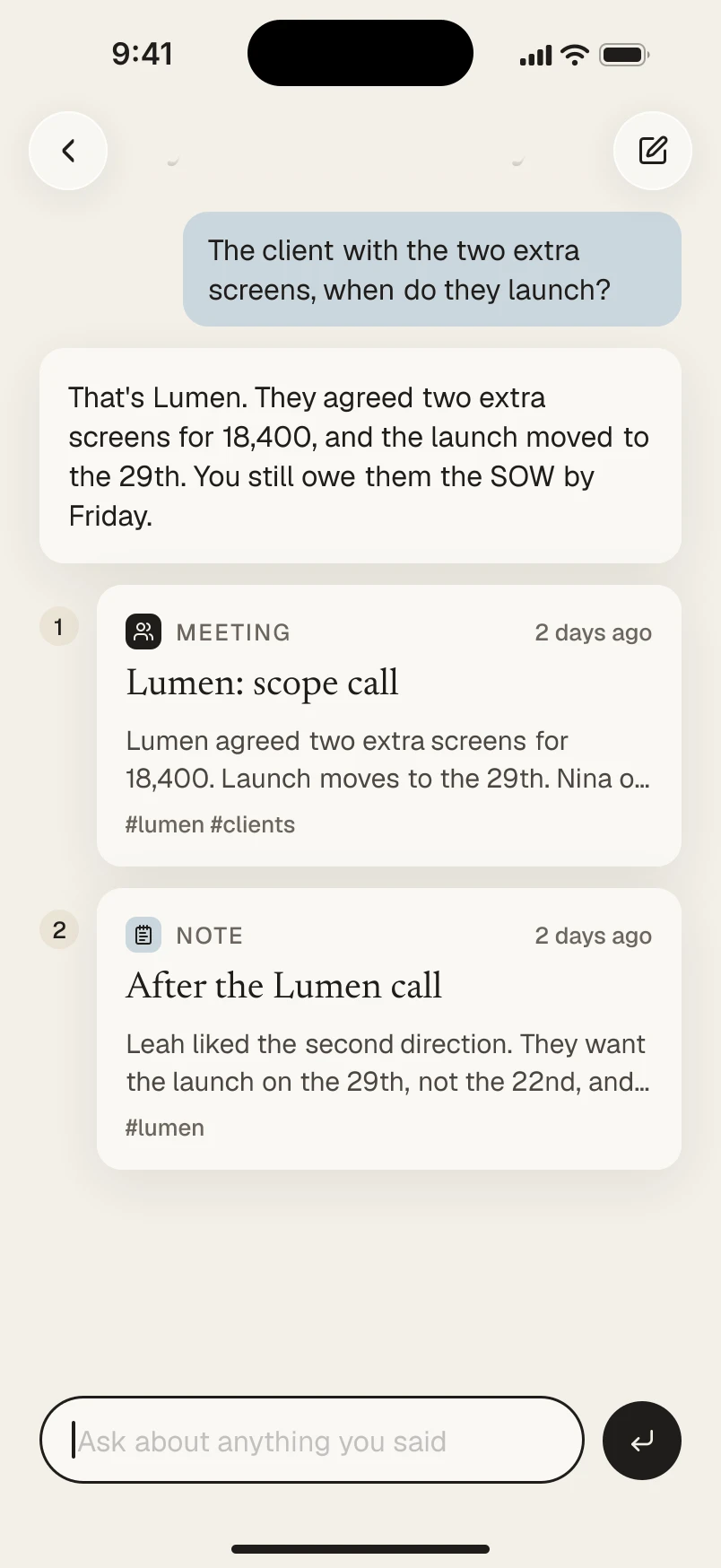
Ask in vague words. Get the client and the date.
Trades and home services
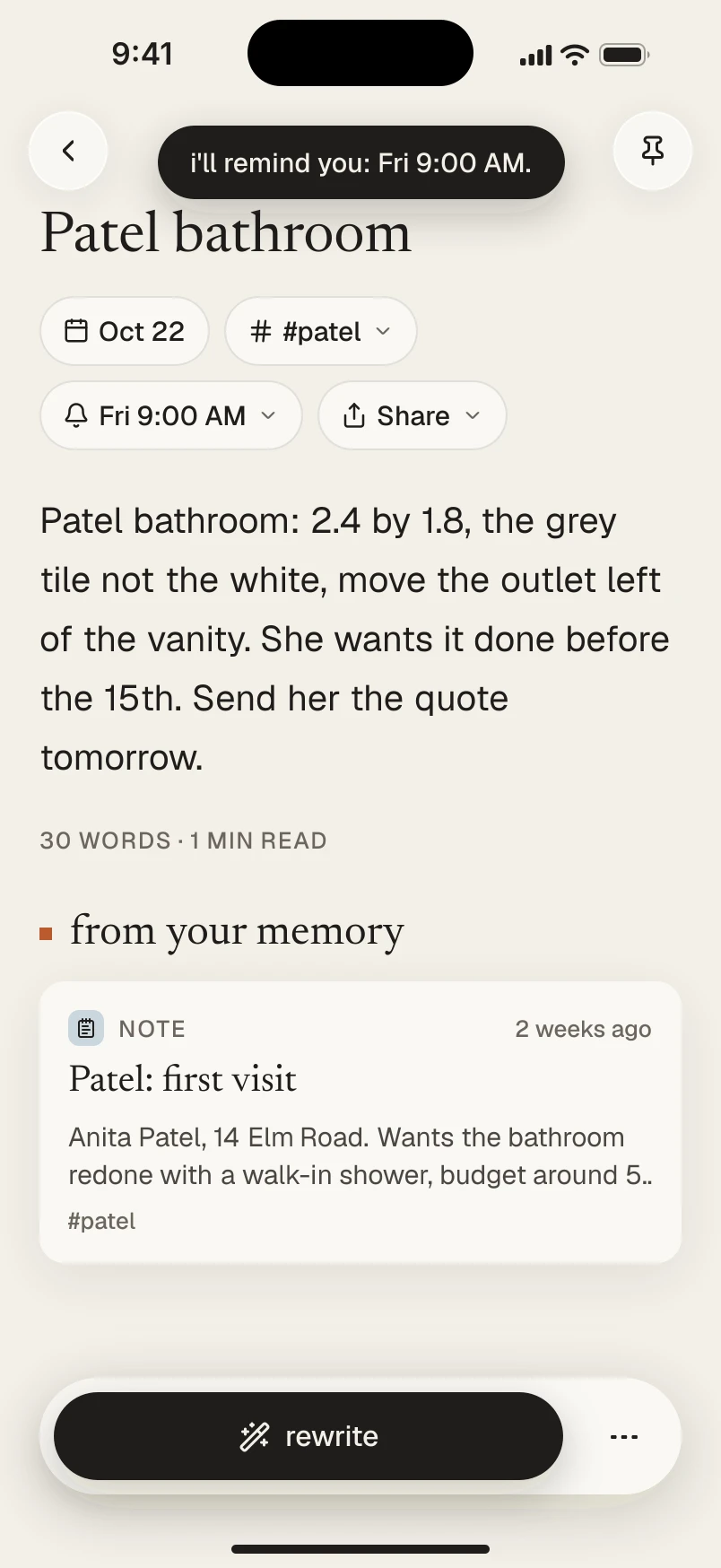
Measure and talk. Nothing to write down.
Site superintendents
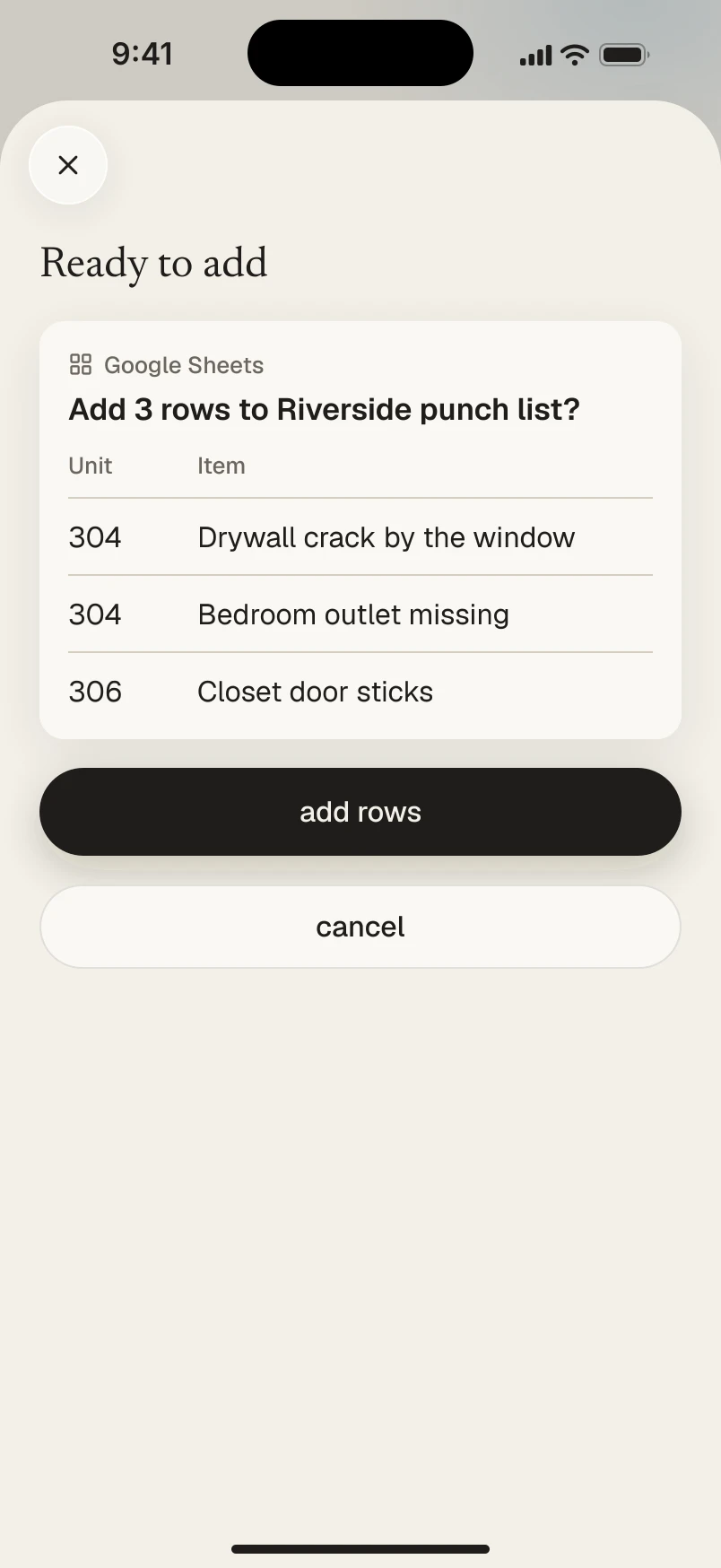
Walk the floor. The punch list fills in.
Executives who post
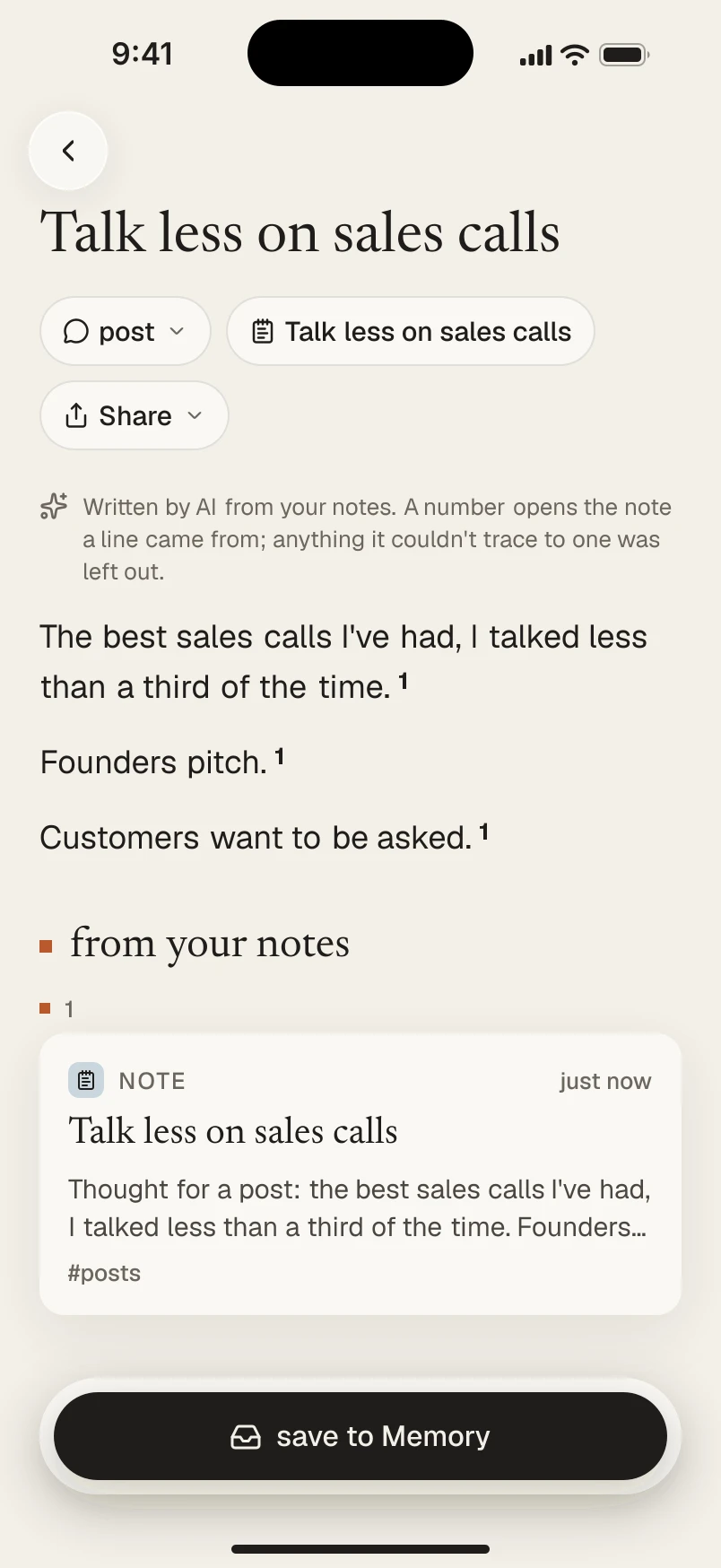
An idea on a walk. A post by lunch.
Property managers
Inspect the unit. The list is written.
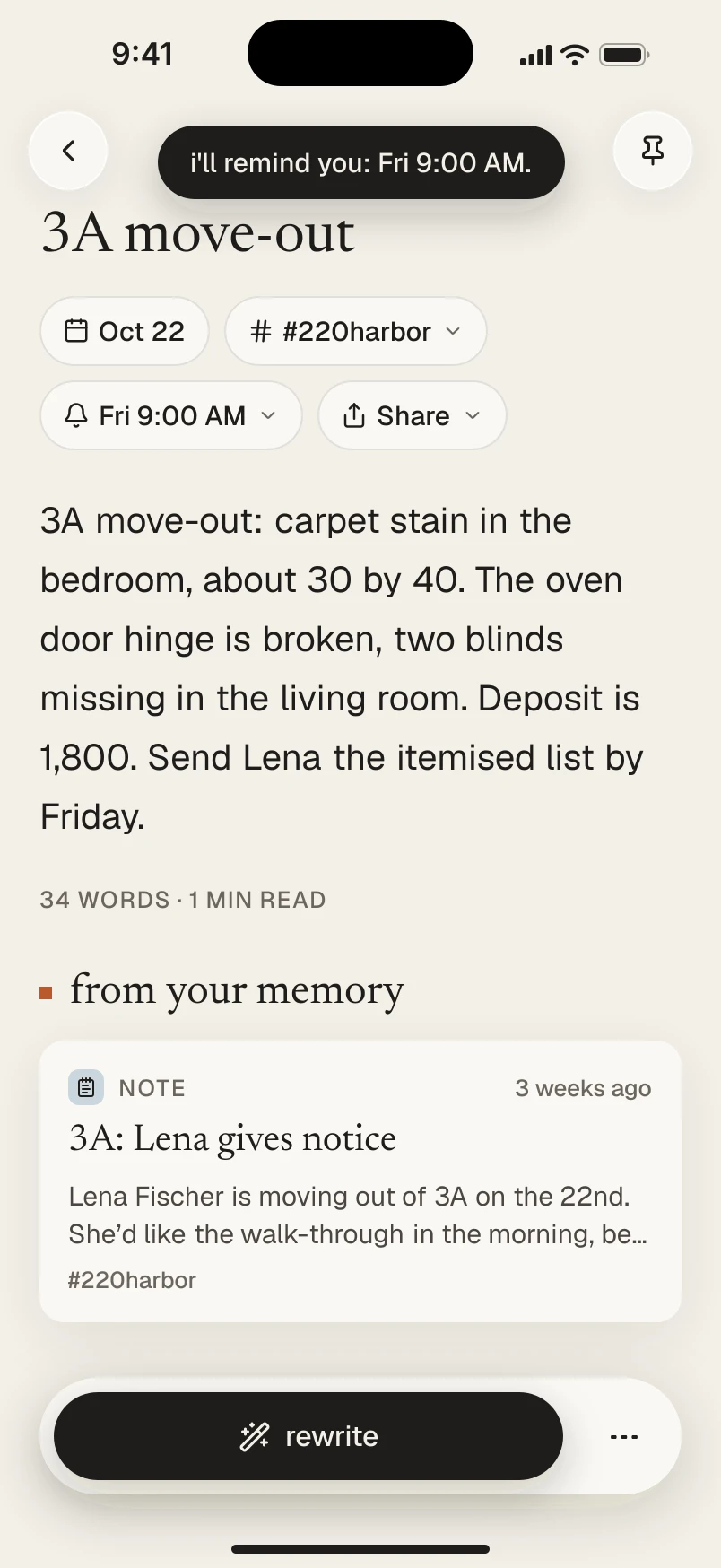
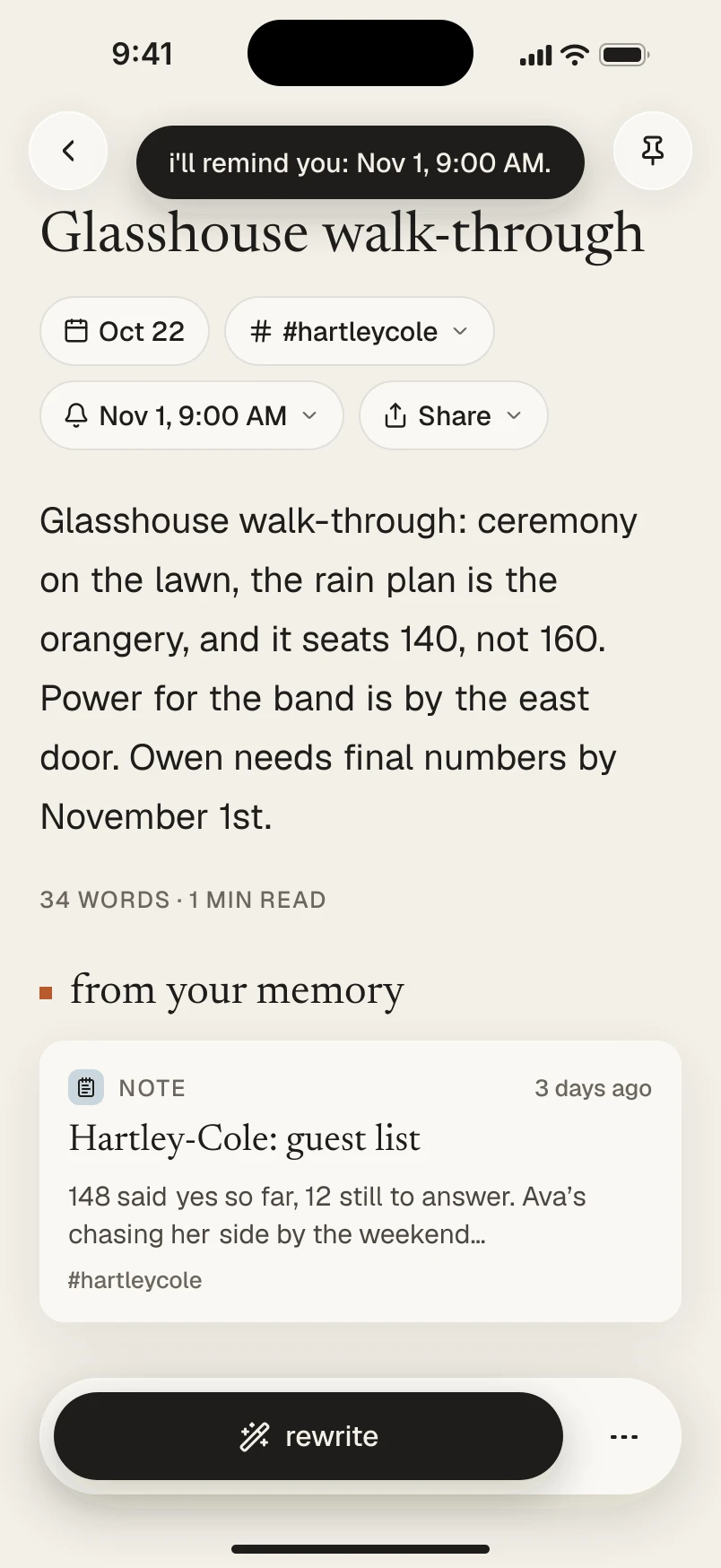
Event planners
Walk the venue. Every detail kept.
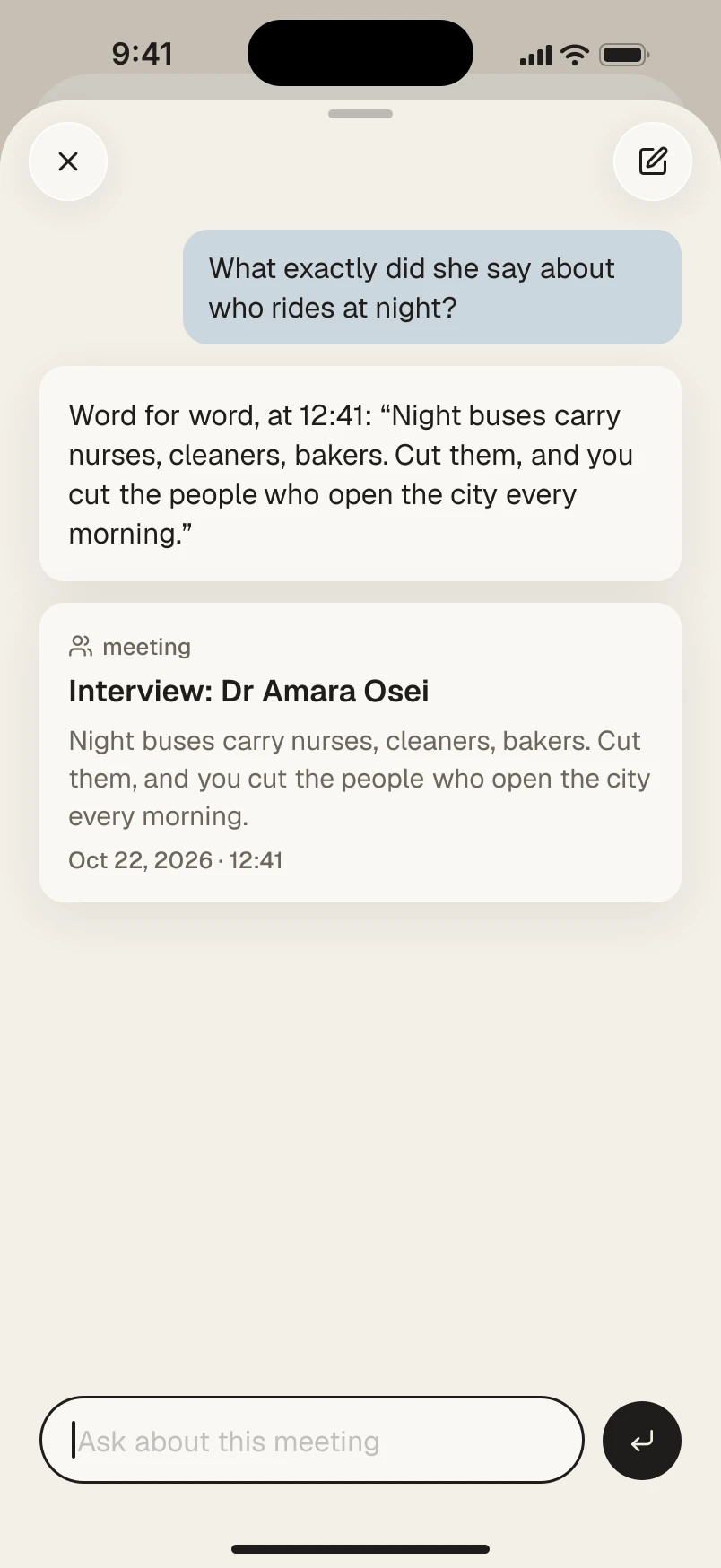
Journalists
Record the interview. Quote it exactly.
What it does
Inside SpeakOS, screen by screen.
Each one shown at work, in the hands of people who talk for a living.
Voice notes
Speak from anywhere. Even the Lock Screen.
Press SpeakOS on the Lock Screen, in Control Center or with the Action Button, and talk. Your words come back as a note with a title, tags and the reminder you asked for. No signal? It still works.
Meetings
Record the call. The notes write themselves.
Put your iPhone on the table. When the meeting ends, you get notes by topic, what was decided and who promised what, each timed to the moment it was said. Tick what’s yours and it lands in To do.


Search
Find anything you ever said.
Ask the way you’d ask a friend who was there. The answer comes from what you said, with the notes it used. A word or a #tag works too.
Keyboard
Dictate in any app.
Switch to the SpeakOS keyboard and talk instead of typing: in Slack, Gmail, WhatsApp or any other app.
Your apps, by voice
Say what you need. Approve it, and it’s done.
Reply to an email, post in Slack, add a task. SpeakOS gets it ready in the right app and waits for you. With Pro, connect Gmail, Slack, Todoist and 23 more.
You say it
One sentence, the way you’d say it out loud.
Finding who you mean
SpeakOS reads your Gmail and finds the Rina you write to.
Getting it ready
The reply is written from your words, in her thread.
You approve
Nothing is sent until you tap Send.
Sent
From your own Gmail, and only what you approved.





The film
A day on the job, kept by speaking.
A day in the life
A day in the life with SpeakOS.
One person, one ordinary day, from the first idea on the walk to the last worry before sleep. Everything on these cards is something SpeakOS does today.

7:40 am
An idea on the way to coffee. Saved before the corner.
Listening 0:14
Thought7:40 am
Idea: lead Halden’s homepage with the case studies, not the team photo.
Saved
I pressed the button on my lock screen and said it. No app to open.

8:15 am
What’s on your mind today?
SpeakOSnow
what’s on your mind today?
say it before the day fills up.
It asks once in the morning. I answer out loud while the kettle boils.

10:00 am
Design review is starting. Record it?
SpeakOSnow
Design review is starting.
record it with SpeakOS?
Record
It saw the meeting on my calendar. One tap, and the phone listened from the table.

10:52 am
48 minutes. One page.
Design review48 min
Decided
Ship the new onboarding on the 14th.12:04
Promised
Alex · Final designs by Friday23:41
What we decided and who promised what, each linked to the moment it was said.

12:30 pm
Remind me every weekday at 8:30.
Stand-up notes
Every weekday · 8:30 am
Reminder set
I said it like a sentence. It became a reminder that rings every weekday.

3:20 pm
Talked it through. Typed into Slack.
Can you send the summary before 4?
Sending it now, with the two open questions from this morning.
SpeakOS keyboard
The SpeakOS keyboard types what I say into any app.
6:40 pm
When I get home, call the landlord.
SpeakOSnow
reminder.
When you get home · Call the landlord about the parking spot.
I said it at lunch. It reminded me at the door.

10:30 pm
How was your day? Empty your head.
SpeakOSnow
how was your day?
say a few words before the day’s gone.
Journal10:31 pm
Good day. Halden signed off on the budget. Still uneasy about December 3rd, and I owe Marco an answer by the 1st.
Saved
Two minutes before sleep, and the worries go somewhere that isn’t my head.

3 weeks later
What was that homepage idea? Found it.
that homepage idea for halden
“Idea: lead Halden’s homepage with the case studies, not the team photo.”
Thought · Oct 16 · 7:40 am · said while walking
I asked in my own vague words. It showed me exactly what I said, and when.
Which part of your day would you hand over first?
Get my early access90+ languages
English
Speak it once. Find it months later.
Speak in the language you think in. Titles, answers and rewrites come back in the language you spoke.
Questions
Asked often, answered plainly.
Something we didn’t cover? Write to hello@speakos.app.
What is SpeakOS?
Spoken memory for iPhone and Mac. Say a thought, a journal entry or a meeting. Later, ask for it in your own words, and SpeakOS finds what you said and shows where it came from.
How is it different from a notes app or dictation?
You don’t type, title or file anything. SpeakOS keeps your exact words, gives each note a title, and lets you find it by asking. Dictation types what you say. SpeakOS also remembers it.
Is it listening all the time?
No. It records only while you hold to speak, record a meeting, or dictate with the SpeakOS keyboard. To make keyboard dictation start instantly, it can keep the microphone ready in the background, which you control in Settings under “Keep the microphone ready”. iOS shows the microphone indicator whenever it does.
What happens to my recordings?
Short notes are written down by your iPhone’s own speech recognition. Longer notes and meetings go to our server to be transcribed. Either way, the audio is deleted once it’s written down, and SpeakOS never keeps a recording to play back. The privacy page has the details.
How much will it cost?
There’s a free plan, and SpeakOS Pro, monthly or yearly through the App Store; prices aren’t final yet. Free gives you notes up to 10 minutes, the last 30 days in search, Ask and drafts (older notes are kept, and come back with Pro), 10 meetings of up to 90 minutes, 10 questions and 10 uses of writing with AI. Keyboard dictation is unlimited, and reminders are free. Pro lifts every limit and adds Spaces, your connected apps and Claude or ChatGPT.
Early access
Give your memory a place to live.
SpeakOS for iPhone and Mac isn’t out yet. Leave your email and we’ll let you in early.